| View previous topic :: View next topic |
| Author |
Message |
79_Limited
Jam Meister

Joined: 19 Jun 2010
Posts: 62
|
 Posted: Fri Feb 11, 2011 4:34 pm Post subject: Jamstix 3 & Pro Tools 9 setup Posted: Fri Feb 11, 2011 4:34 pm Post subject: Jamstix 3 & Pro Tools 9 setup |
 |
|
Is anyone successfully using Jamstix 3 with Pro Tools 9? My wrapper is working and Jamstix shows up as a instrument VST but that is as far as I have gone.
I can not seem to get Jamstix off of Drum Module Mode.
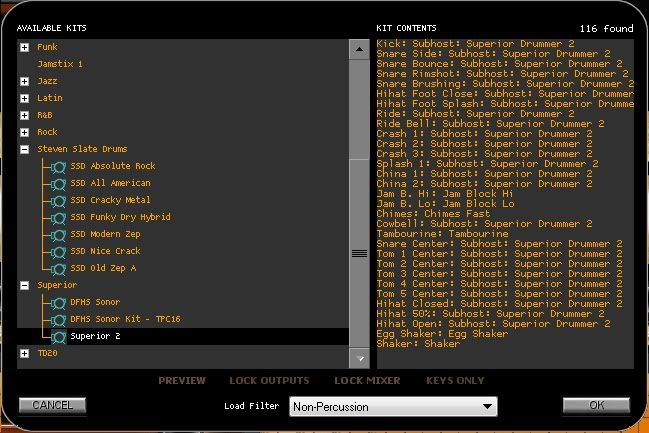
I would also like Jamstix to subhost Superior 2 but only a few of my EZX paks show up under Jamstix. I also have the NY Studios & C&V and those do not show up either under Jamstix.
Here is one shot where I am stuck.
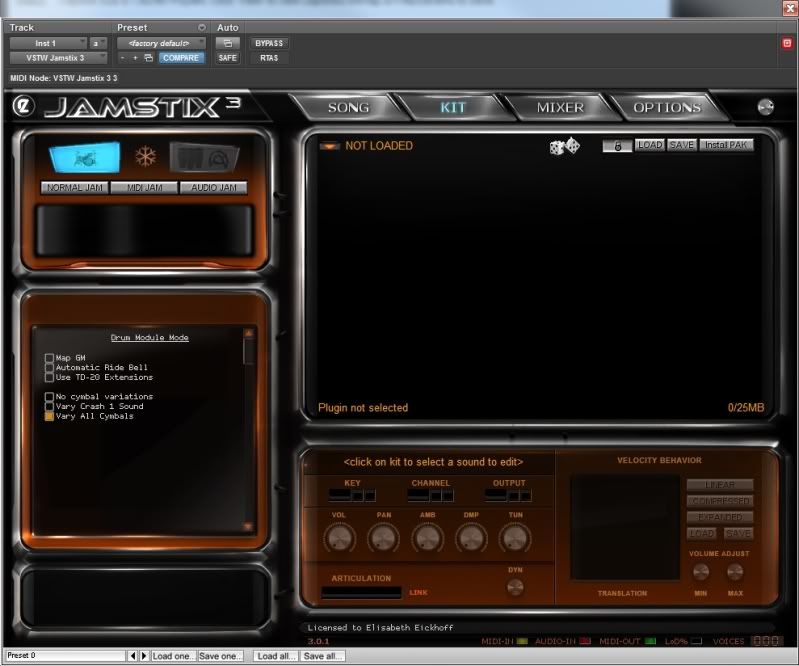
I would also like to use the Multi outs in Jamstix through Pro Tools but do not know how to set it up. I receive this error message when I point Jamstix to the Superior.dll "Cannot Load Module because it requires at least 16 outputs. Please adjust Jamstix accordingly and restart Jamstix."
How do I correct this?
I am running Jamstix version 3.0.1.
Thanks for the help! |
|
| Back to top |
|
 |
Sheppol_A
PhD in Jamology

Joined: 04 Dec 2008
Posts: 425
|
| Posted: Fri Feb 11, 2011 5:05 pm Post subject: |
|
|
I don't know Protools but I'll see if I can help.
I don't use Drum module mode preferring to let JS do it's own thing.I almost alway use,"Normal" mode.JS will generate way better drum parts faster and better than 99% of midi clips IMHO.
1:Have you got a midi drum file on the track so JS has something to play in drum module mode?
Multi outs.
2:JS/Kit/Arrow head at the top left.Choose you outs  |
|
| Back to top |
|
|
79_Limited
Jam Meister
Joined: 19 Jun 2010
Posts: 62
|
| Posted: Fri Feb 11, 2011 7:30 pm Post subject: |
|
|
Thanks for the help. For the multi-outs my Jamstix only shows a max of 8 outs. Does that sound correct?
For some reason I thought JS could output 16. |
|
| Back to top |
|
|
Sheppol_A
PhD in Jamology
Joined: 04 Dec 2008
Posts: 425
|
| Posted: Fri Feb 11, 2011 7:48 pm Post subject: |
|
|
| I think the 8 out are 8 stereo pairs.I've never really needed more than 5 stereo outs :/ |
|
| Back to top |
|
|
Ralph [RZ]
Site Admin

Joined: 02 Jan 2008
Posts: 13332
|
| Posted: Sat Feb 12, 2011 10:57 am Post subject: |
|
|
You can adjust the audio outputs in JS3 Options.
What happens when you click 'Normal Jam'?
_________________
Ralph Zeuner
Rayzoon Technologies LLC
http://www.rayzoon.com |
|
| Back to top |
|
|
79_Limited
Jam Meister
Joined: 19 Jun 2010
Posts: 62
|
| Posted: Sat Feb 12, 2011 5:01 pm Post subject: |
|
|
Ok it is starting to work better.
I just have a few minor issues and then I should be all set.
1) In Jamstix only my Superior 2 module shows up and not all of my other add on packs (NY Studios, Avatar, C&V all the EZX packs). The same goes for my Steven Slate drums even though I have all of the Platinum kits.
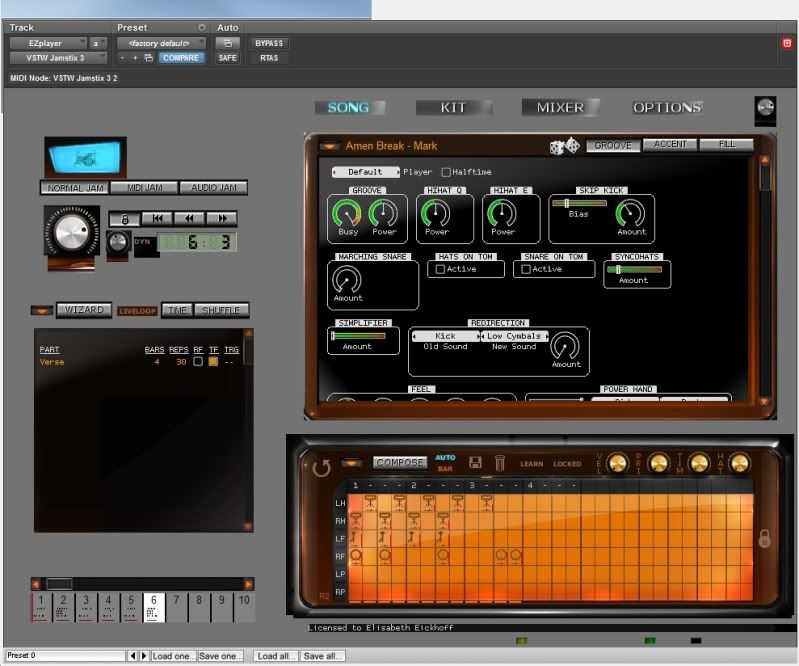
2) Is my GUI supposed to look like this in Pro Tools? It seems some of the graphics are missing compared to when I run the plugin in Reaper.
 |
|
| Back to top |
|
|
Doc
Moderator

Joined: 26 Feb 2005
Posts: 663
|
| Posted: Sun Feb 13, 2011 4:17 am Post subject: |
|
|
| 79_Limited wrote: |
1) In Jamstix only my Superior 2 module shows up and not all of my other add on packs (NY Studios, Avatar, C&V all the EZX packs). The same goes for my Steven Slate drums even though I have all of the Platinum kits.
|
Jamstix only lists some of the "stock" SSD kits.
What you have to do is open the kontakt player GUI with SSD (within Jamstix of course) and choose your SSD kit.
The kit can then be saved in JS and will be listed afterwards.
| 79_Limited wrote: |
2) Is my GUI supposed to look like this in Pro Tools? It seems some of the graphics are missing compared to when I run the plugin in Reaper.
|
Hmm I dunno. Looks a bit strange to me as well. |
|
| Back to top |
|
|
79_Limited
Jam Meister
Joined: 19 Jun 2010
Posts: 62
|
| Posted: Sun Feb 13, 2011 7:09 am Post subject: |
|
|
Ok quick update. The wrapper is NOT working with Jamstix very well at all. It keeps crashing Pro Tools as I keep receiving the error message that I am out of CPU power. Impossible since I am running a new Intel i20 chip and Jamstix is the only plugin I am using.
I don't think this is any fault of Jamstix but more of a wrapper/Pro Tools issue. It is a shame because this is the only reason I spent the $100 on the wrapper.
I did find a workaround that may work. I tried Rewiring Reaper with Pro Tools with Jamstix operating inside of Reaper. I found an online video that showed this is a good way to use a lot of VST's to play nice with Pro Tools. Now if I can just get the multiple outputs to output from Reaper via Rewire into Pro Tools I will be in business. |
|
| Back to top |
|
|
|

 FAQ
FAQ Search
 Memberlist
 Usergroups
 Register
 Profile
 Log in to check your private messages
 Log in


